Make the best impression. Never miss an opportunity.
4 million people in
500K companies use Blinq















A name and number only tell half the story
A good introduction has a lot to carry. Too often, something gets left behind. Blinq catches what matters, so you can make the moment count.

Convert first impressions
into connections that count
- Digital Business Cards
A business card that opens doors
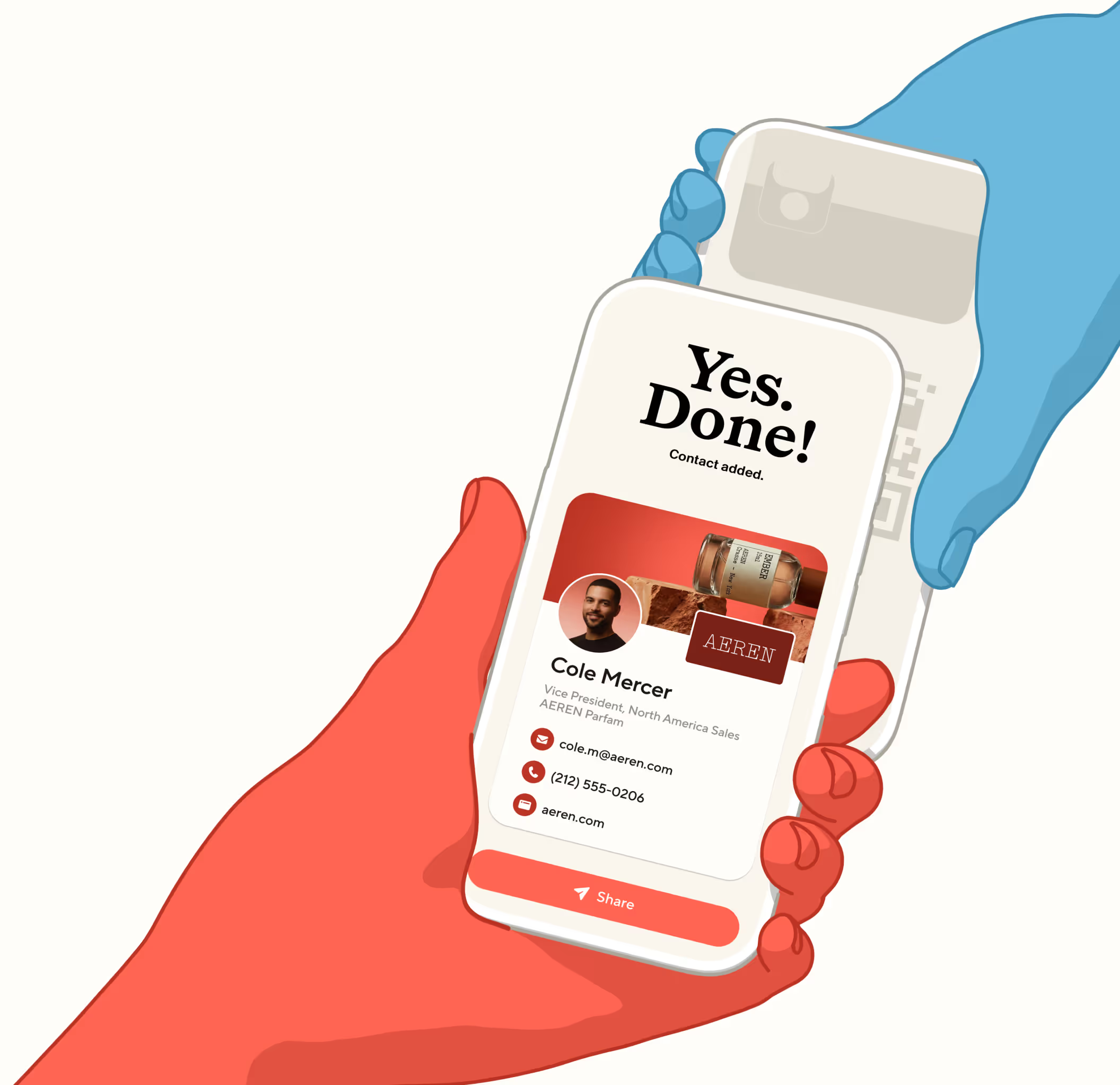
Create a card that’s unmistakably you and share it in seconds: QR, tap, link or wallet. The person you meet saves it instantly, with nothing to download, and can share their details straight back in the flow.

“Waaay more responses than I’ve had with paper business cards.” App Store - Contact Capture
From scan to saved contact in one go
Scan a badge, a paper card, a QR code or a LinkedIn profile, even offline. Blinq saves it to your address book before the moment passes and syncs it to the tools you work in.

“The offline mode is a total lifesaver.” John J., G2 - AI Enrichment
Contacts made complete in seconds
Start with a name and company or email. Blinq AI searches 25+ live sources for their photo, title, phone, verified email and LinkedIn, filling in the details while you’re still talking.

“I get their info AND it's a conversation starter.” Jennifer G., Capterra - AI Notetaker
Keep the context, not just the card
Where you met, when, and what you talked about, saved with the person. Add tags and notes, or let AI Notetaker write them for you, in the room or on a phone call.
“A handy feature where I can create notes reminding me of what we talked about.” Irfaan M., G2 - Integrations
Follow up wherever you work
The contact and the context land wherever you follow up: CRM, phonebook, email or your AI tools via our MCP. Give your next conversation a head start, with the details from the first.

“Perfect tool to keep people in touch!” Diego, Trustpilot
Loved by professional
optimists globally

I've used it for two years! Everyone who I introduce Blinq to - at any live event - is thoroughly impressed and immediately downloads the app.
Martha C.
I love this app so much. Every time I meet someone at an event, and I give them my Blinq card, they end up downloading it immediately too.
Bat-Sheva

So convenient! Not only for my business; recently I was in an accident and I was able to share my contact when I needed the most! Great tool! 10 stars
Liz Realtor Florida
I just share one QR code or link and everything is there... my phone number, email and other details in one place. It makes things easier and saves time, especially when meeting new patients.
Ishan S.
Seamless integration and reliable performance. It has never failed me when it counts, and the offline mode is a total lifesaver for sharing your card when service is spotty.
John J.
I absolutely LOVE that I can make myself accessible via all of the channels that are connected to me with just a share! It's an amazing tool!
Leigha
The CRM/contact sync is seamless, which makes networking efficient and eliminates manual follow-ups.
Nabin P.
Set up 2 business cards for 2 businesses in less than 10 minutes. Definitely recommend to anyone starting a business.
CoCo_withLove
Every client I’ve gotten has given me compliments on using this app… they’ve also started using the app.
KD432
Was skeptical at first but the ease to create and share sold me. Have shared this hundreds of times in personal settings, not just business!
SusanVette
Such a game-changer! Wow! I've been told by several top realtors to get Blinq a while ago. Now I wish I would have gotten it much sooner!
Kaeci Carter
Had it for a week. Waaay more responses than I’ve had with paper business cards. Highly recommend.
The Att Boy
Blinq connects seamlessly with my CRM and updates contacts automatically. That’s been a huge time-saver.
Keshia W.
You just wouldn’t believe how much this app helps in marketing your brand. It’s right in your hand… so convenient in getting my business out there amongst passersby.
Sicsean
Got a few questions?
We’re happy to answer them.
Creating your Blinq digital business card takes less than a minute. Start by creating your card, or by downloading the app (iOS/Android). You'll be guided through the card creation process, where you can add your contact details, a profile photo, and customize your card with your company logo. Once done, you'll be ready to start sharing straight away.
Yes! Blinq is free for everyone. You’ll get access to digital business cards, virtual backgrounds, and dynamic email signatures. With Blinq Premium, you unlock added customization and export options, which are free to trial for 7 days.
If the recipient doesn’t have the Blinq app, your card will open in their web browser. They can easily save your details and share theirs back with you, making it easy and convenient to reconnect.
Sharing your digital business card is super simple. You can have recipients scan the QR code from your Blinq app, or share it via text, email, Widgets, Apple Wallet, or even from your Apple Watch. It’s instant and convenient—perfect for sharing in person or online.
A Blinq digital business card is like a traditional business card, but made for modern networking! No more printing costs, cards getting lost, or outdated details. It’s always on your phone, ready to share, and can capture the details of the person you’re meeting, making it easy to follow up—plus, it’s eco-friendly and completely customizable to match your business.
Share your contact details easily: A digital business card is the quickest and easiest way to share your professional identity.
Your card is always with you: Whether you prefer to share using the app, from your Apple Wallet, your Smart Watch or home screen widgets, it will be with you wherever you and your device go, no need to carry paper cards anymore.
Works every time: Those who receive your card don’t need the Blinq app to get your contact details.
Always stay up-to-date: If you change your contact information on your QR code business card, those who have your card will see your updated information.
Setting up Blinq for your team is easy. With Blinq Business, you can manage multiple cards, customize them with your branding, and sync your team's contacts directly with your CRM. Check out our Blinq Business subscription for more details.
You can create your own Blinq digital business card for free! Start by downloading our top rated iOS app or Android app, or get started using our web dashboard.
Our onboarding process will guide you through the setup process including how to customize your card with logos, profile images, colours and more. You’ll then be ready to share your digital business card in seconds!
You can also sign up for Blinq Premium to create more cards for yourself or for Blinq Business if you’re looking to create cards for your wider business team. For full pricing information view our Pricing Page.
Blinq offers NFC or ‘Near Field Communication’ business cards for you and your team. NFC cards have a chip embedded in each card that can be synced with your Blinq digital business card.
When you want to share your details, simply tap the card on the user's compatible smartphone which will bring up a link containing your Blinq card, it really is like magic. You can purchase NFC cards via our app or our website today. Alternatively, if you already have an NFC card made by another company, you can encode it with your Blinq card by encoding your Blinq card link onto it.
Blinq Business has several integrations with tools your team already uses, like HubSpot, Salesforce, Microsoft Dynamics, and more. An example of how this plays out for teams: you can sync your contacts as leads directly into your CRM, automatically provision your team's cards using Microsoft Entra, and remotely manage dynamic email signatures using Google Workspace.
Dynamic email signatures let you extend your brand with every email you send. With Blinq, you can create professional, branded signatures that match your digital business card in just a few clicks.
Blinq’s virtual backgrounds let you add a professional touch to your video calls with a branded QR code embedded directly into your custom background. Simply choose one of our backgrounds or upload your own and showcase your brand during virtual meetings.
For contacts
that stay in contact
Use Blinq to capture crucial context, spot opportunities, and turn a good meeting into brilliant business.